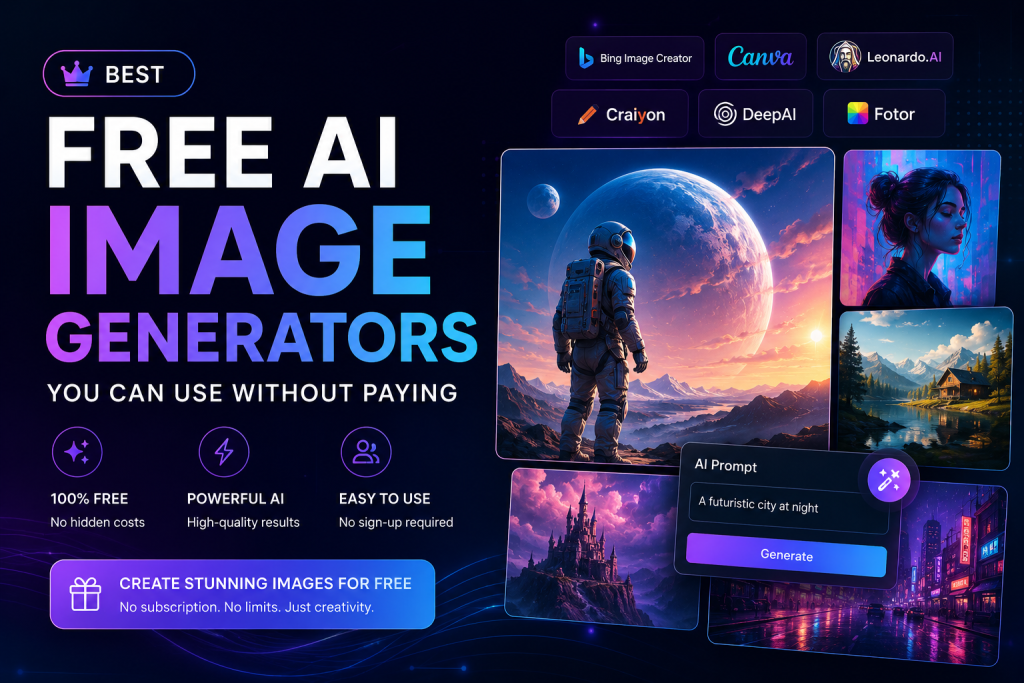
Good news up front: you don’t need pricey software or years of practice to make a decent-looking image these days. Type a sentence. The AI Image Generators does the rest. A few seconds later you’ve got something you can actually use. Doesn’t matter if you’re running a blog, handling a brand’s Instagram, or just need art for a school project ,a free AI image generator gets you there, no money required. AI agents news today.
Things moved fast here. Rewind two years and “AI image generator” basically meant rough, half-broken experiments that barely matched what you typed in. Now? A sentence or two turns into realistic photos, paintings, logos, product mockups, social graphics. People who’ve never touched design software are making stuff that used to require hiring someone. Less time. Less cost. Both at once.
Here’s the catch though ,there’s a lot of these tools now, and they’re not all built the same. Some chase raw image quality above everything. Others lean toward speed, or editing tools, or a specific look. Below is a breakdown of the ones actually worth bothering with, what each is good at, and which one probably fits whatever you’re trying to make.
Why Use a Free AI Image Generator?
Visuals carry more weight than people give them credit for. A blog post, a landing page, a YouTube thumbnail, and all of it just works better with a strong image attached. That’s the reality now, like it or not.
Used to be, design skill was the entry fee. Not anymore. Describe the idea in plain words and a text-to-image AI Image Generators free tool hands back original art within seconds.
Try something like “a futuristic city at sunset with flying cars and cinematic lighting” ,you’ll get back several different takes on it almost instantly.
So who’s actually using this stuff day to day?
Bloggers building featured images Social media managers Digital marketers Students and teachers Small business owners Freelancers eCommerce store owners Authors and publishers
A bunch of these platforms throw in generous free credits too. So “free AI image generators” isn’t just a catchy phrase; it’s something you can genuinely lean on week after week.
What Makes a Great AI Image Generator?
Not every tool here lands in the same place. It’s worth checking a few things before picking one.
Image Quality
Output needs to hold up at full size ,website, slide deck, wherever. Plenty of tools look great shrunk down on a phone screen and fall apart the second you zoom in.
Prompt Accuracy
A decent AI image generator from text should get what you actually wrote, not loosely guess at it. That gap between “kind of close” and “exactly right” matters way more than people expect going in.
Ease of Use
A messy interface ruins even a great tool. Goes double for beginners who don’t want to spend ten minutes hunting for the generate button best ai agents.
Free Features
Some platforms give daily credits. Others cap your downloads or stick watermarks on everything. The better free options give you enough room to actually use them regularly AI Image Generators not just once, to poke around.
Creative Styles
Realistic photography, anime, fantasy, watercolor, illustration, 3D ,that’s the range worth having. Stick to one style only and a free AI art generator gets old fast once you’ve got more than one type of project going.
Best Free AI Image Generators
1-Microsoft Designer
Microsoft Designer shows up on “best free” lists for a reason. Solid AI Image Generators underneath, and it turns plain text into images that lean realistic or artistic depending on what you ask for.
You won’t waste time figuring out the interface, whether this is your first AI Image Generators tool or your fifth this month. It also connects into Microsoft’s other design tools, so tweaking what you make doesn’t become its own separate project.
Key Features
High-quality image generation Fast processing Beginner-friendly interface Multiple artistic styles Free daily image credits
Good for blog graphics, social posts, slide visuals, marketing material, AI Image Generators basically anything needing a quick image.
2-Canva AI Image Generator
Canva’s been a go-to design platform for years, and the AI generator just folds into what’s already there. No app-hopping ,generating and editing in the same window.
Why Choose Canva?
Drag-and-drop editor Built-in templates Multiple image styles Easy customization Great for beginners
If decks or social graphics are part of a regular week, Canva will probably save more time than anything else on this list.
3 – Adobe Firefly
Firefly’s whole angle is one question: can this image actually be used commercially without issues? That focus sets it apart from tools that make great images but leave licensing as an afterthought AI Image Generators.
Lighting and texture both come out solid, and it tends to read prompts pretty literally compared to some competitors. It also ties into Adobe’s broader app lineup, so if that’s already your world, the workflow feels natural instead of bolted on.
Highlights
Excellent image quality Commercial-friendly content Accurate prompt recognition Professional editing options Reliable performance
Already using Adobe stuff? This one barely needs explaining AI Image Generators.
4 -Leonardo AI
Artists, game devs, illustrators tend to land here for a reason and it handles detailed concept art and fantasy scenes in ways most generic tools just can’t.
It also hands over more control of the final image than the basic generators allow, which starts mattering once a project goes past a quick social post AI Image Generators.
Best Features
Highly detailed artwork Multiple AI models Character consistency Custom style options Advanced prompt controls
Worth checking if a free AI art generator with no sign-up hassle sounds appealing AI Image Generatorsthough account requirements do shift around sometimes.
5-Ideogram AI
Most AI image tools share one weak spot: text inside the image comes out garbled. Ideogram AI Image Generatorswas built to fix exactly that, which is why it works well for posters, logos, ads — anything where the words matter as much as the picture.
Need a strong image plus readable text in the same frame? This probably saves a round of manual cleanup later.
Best For
Logo concepts Marketing banners Posters Quote graphics Social media content
Solid artwork plus text that actually reads right ,that combo earns it a spot for business and content work.
6- Google ImageFX
Google ImageFX came together fast. Built on Google’s newer AI models, it’s genuinely good at reading detailed prompts and turning them into images that look real instead of obviously AI Image Generators.
What stands out is the attention to small stuff , lighting, composition, color, perspective. It’s not tossing back something generic; it’s actually using the details in the prompt. That makes it a dependable free text-to-image generator when realistic results matter, without rewriting the same line five times.
Easy to pick up too. No design background needed and describe the idea, let it run, pick whichever version looks right. For bloggers and marketers posting on a schedule, it’s a fair trade-off between quality and speed.
7-Bing Image Creator
Bing Image Creator runs right in the browser, nothing to install, works the same on desktop or phone. That alone makes it handy for quick use whenever.
It covers a lot of ground fine ,blog images, website graphics, educational visuals, social posts. Each prompt comes back with a few variations, so there’s usually a choice instead of being stuck with the first result.
For anyone publishing on a schedule, it holds up well. Workflow stays simple enough that it’s not a relearning exercise every time it opens.
8- Playground AI
Playground AI Image Generators keeps generation and editing under one roof, so there’s no app-switching just to tweak something afterward.
The style range is decent ,realistic photography, digital painting, illustration and there’s more say over composition than a lot of bare-bones tools give you. Appealing if hands-on control matters without needing a separate editing app.
Worth testing if an AI photo generator with some flexibility sounds useful, minus a steep learning curve. The free plan’s generous enough to figure out if it’s worth sticking with before paying anything.
9-Dream by WOMBO
Dream by WOMBO isn’t chasing photorealism at all. It leans hard into art styles and paintings, fantasy, illustration and treats that as the whole point, not an afterthought.
That’s why writers, artists, and creators reach for it when a book cover, a presentation visual, or a personal project needs something that was never meant to look like a photo. Pick a prompt, pick a style, let it run.
Simple and creative-first, that combo makes it a solid free AI image generators for anyone getting into digital art with zero formal training.
10-GenerateZ AI Images Free
GenerateZ works if simplicity is the goal. Built with beginners in mind, but there’s enough underneath that experienced users still get something out of it.
Fine for blog visuals, concept sketches, social graphics, general experimenting. Won’t out-feature the premium platforms, but for everyday content needs it gets the job done — and it’s a reasonable starting point if AI Image Generators-generated images are new territory.
Which Free AI Image Generators Should You Choose?
Mostly comes down to the project. Need realistic blog or marketing visuals? Microsoft Designer and Google ImageFX are the strongest picks ,solid output, interfaces that don’t fight back. Canva AI still wins if generation and editing in one workspace matters most, and Adobe Firefly makes more sense once commercial-safe licensing is the priority.
Working on game art, illustrations, fantasy concepts? Leonardo AI gives more control and sharper detail. Need readable text built into the image ,posters, banners, that kind of thing? Ideogram AI Image Generators was made for exactly that.
The nice part about all this being free: nobody’s locked into one choice. Try a handful, compare quality and speed, see what actually fits before settling on anything long-term.
Tips for Getting Better AI-Generated Images
Results are only as good as the prompt behind them. Vague input gets vague output, every single time. Add detail ,subject, background, lighting, camera angle, color palette, art style — and the actually has something to work with.
Instead of “a mountain,” try: “a snow-covered mountain at sunrise, golden light reflecting off a crystal-clear lake, ultra-realistic photography.” That extra detail carries more weight than it looks like.
Worth running a few variations on the same idea too. Small wording changes shift the output more than expected — usually that’s how the right version turns up.
Frequently Asked Questions
Microsoft Designer, Google ImageFX, and Canva AI are generally the strongest free picks, offering good image quality without a complicated interface in the way.
Can I use AI-generated images for commercial purposes?
Often yes, but licensing terms differ by platform. Worth checking the specific terms before using anything generated for business.
Do I need design experience?
No. Most of these tools assume you don’t have any. A clear text description is really all that’s needed to get started.
Which AI image generator is best for realistic photos?
Google ImageFX, Microsoft Designer, and Adobe Firefly consistently produce some of the more realistic results available on free plans.
Final Thoughts
AI image generation has put decent visuals within reach of pretty much anyone, budget or background aside. Running a blog, managing a brand, finishing a school project ,none of that matters as much anymore. Something solid is seconds away instead of hours.
Just starting out? Microsoft Designer, Canva AI, or Google ImageFX are good entry points. Want something more artistic? Leonardo AI and Dream by WOMBO leave plenty of room to experiment. Need text built right into the image? Ideogram AI Image Generators handles that specifically.
None of these tools are done improving either. The smartest move right now is trying a few, getting better at writing prompts, and figuring out which platform actually fits how you work. Get that right, and the payoff is real and less time spent, lower costs, and a steady stream of decent visuals for the site, the socials, or whatever’s next AI Image Generators.