Build Your First Smart AI Agent, Okay, so here’s the thing. You don’t need a computer science degree for this. A year ago, if someone told me that, I’d have laughed. Sounded like pure marketing fluff. Turns out it’s not. Not anymore.
Maybe you’ve been reading about agentic automation for weeks now, nodding along, secretly feeling like you missed some memo everyone else got. If that’s you, good, this one’s for you specifically. We’re building a real agent. Together. Right now, in this post. No Python. No mystery API key hiding in some terminal nobody told you about. No engineering team on call in case it breaks.Just a browser tab, and honestly, maybe ten minutes.
When we’re done you’ll have something that actually does a job. A real one. And you’ll understand the pieces well enough that your second agent won’t need any tutorial at all.
What Is a Smart Agent, Anyway?
People throw the phrase “smart agent” around so much these days it barely means anything. Let’s actually pin it down for a second.
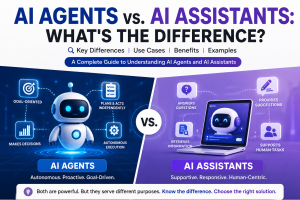
A chatbot answers your question, and that’s the end of it. You ask, it replies, done. A smart agent is a different animal entirely. Give it a goal and it splits that goal into steps on its own, grabs whatever tools it needs along the way, and just goes. You’re not babysitting it. Say “check my new emails and flag anything urgent” and it won’t sit there explaining how you’d go do that. It opens your inbox. Read through everything. Decides what’s actually urgent. Comes back and tells you what it found.
That gap, talking versus doing, is basically the entire agent vs chatbot debate that keeps popping up online. Chatbots talk. Agents work. End of story. Here’s what actually matters for you though. You don’t have to build the “doing” part. Someone already did. No-code platforms built that plumbing years ago. You’re just pointing it somewhere and hitting go.
What You’ll Actually Need For Build Your First Smart AI Agent
Not a whole lot, if I’m honest.A free account on some no-code automation platform. We’re using Zapier here, partly because it’s free to start, partly because odds are decent you already made an account two years ago for some random automation and forgot about it. An email account you want this thing working on (Gmail’s totally fine). And about ten minutes. You need zero automation experience walking in.
You genuinely don’t need to know what an API is. If you’ve ever set up an auto-reply before catching a flight, congrats, you already have the right instinct for everything coming up.
Building Your First Agent, Step by Step
Let’s skip the toy example and build something you’d actually use. An agent that reads incoming emails, decides if they’re urgent, and drafts a short reply for the ones that are.
Step 1: Set Up the Trigger
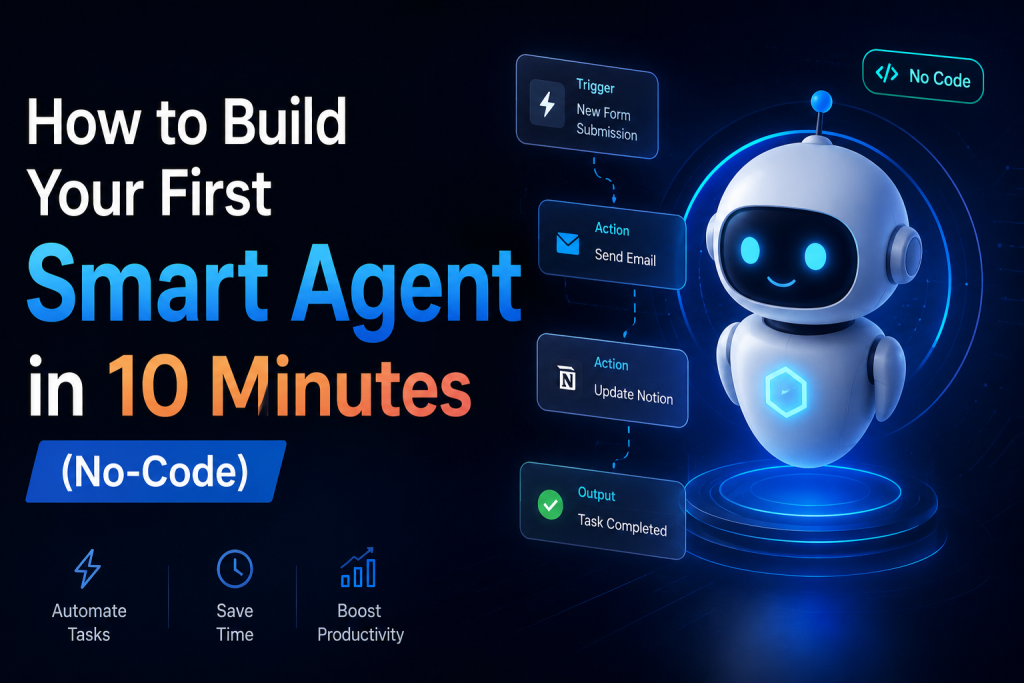
Open Zapier. Start a new Zap. Pick your email app as the trigger, Gmail, Outlook, whichever, doesn’t matter. Set it to “New Email.” That’s what wakes the agent up. Something lands in your inbox, it goes.
Step 2: Add the Smart Step
After the trigger, add an action and look Build Your First Smart AI Agent for the language-model step. Here’s where you actually tell it how to think. Something like: “Read this email and decide if it needs a reply within 24 hours. If yes, draft a two-sentence response. If no, just say ‘not urgent.'”
This used to be the part where you’d have to hire somebody. Now you write one sentence and the thing makes its own call.
Step 3: Pick the Output
So, what should happen once the system decides? Maybe it creates a draft reply right in your inbox. Maybe it pings you on Slack. Maybe it logs a row in a spreadsheet so you can check later. For a first build, go with “create a draft.” Watching it show up in your inbox out of nowhere genuinely doesn’t get old, even after the tenth time.
Step 4: Run a Test
Every one of these Build Your First Smart AI Agent has a test button buried somewhere. Find it. Use it before you let this thing touch real emails. Send yourself a test message, watch the whole thing fire step by step Build Your First Smart AI Agent. If it flags literally every email as urgent, and it probably will the first time, that’s just how it goes, head back to Step 2 and tighten up your wording. Vague instructions, vague results. No exceptions, ever.
Step 5: Switch It On
Test came back clean? Flip the Zap to “on.” That’s genuinely the whole build. You’ve got something now that reads, judges, and acts on its own, and you didn’t write a single line of code to get there.
Mistakes Beginners Make
There’s a short list of things that trip basically everyone up the first time around. Asking for too much, too fast, is probably the biggest one. “Handle my entire inbox” sounds great in theory. In practice? Messy, almost immediately. “Flag urgent emails and draft a reply” works because it’s narrow enough that you can actually guess what it’ll do. So start small. Grow it later, once the simple version stops surprising you.
Being too vague is the other big trap Build Your First Smart AI Agent. Telling the smart step to “be helpful” gives it basically nothing real to grab onto. Spell out exactly what counts as urgent. Spell out the tone. Treat the whole thing like training a brand new hire on day one, not texting an old friend who already gets your shorthand, because the system definitely doesn’t. Not yet anyway Build Your First Smart AI Agent.
People skip testing constantly, and look, don’t. It’s so tempting to wire the whole flow together and just hit go. Resist it. Test each step alone first, so when something breaks (something usually does, at least once), you know exactly where to look instead of guessing blind.
And then there’s forgetting what the agent can even see in the first place. It only knows what you’ve actually connected. Behaving weird? Don’t immediately blame the prompt. Ask first whether it has access to what it needs at all.
Where to Go From Here
Once that first Build Your First Smart AI Agent is humming along, this part gets genuinely fun. Trigger, smart step, action. The same three pieces work for almost any repetitive thing eating up your week right now.
A few worth trying next. Something that scans new form submissions and ranks leads by priority. Something that watches a spreadsheet and writes you a plain English summary every week, automatically. Or a small research agent that grabs headlines on whatever you’re following and emails you a digest each morning before you’re even awake.
None of these are harder than what you just built five minutes ago. Same blocks. Just aimed somewhere new.
Wrapping Up
Building a Build Your First Smart AI Agent used to mean weeks of dev work, API headaches, and a lot of trial and error in code you probably never fully understood. Now? An afternoon. Sometimes way less. Build Your First Smart AI Agent.
The platforms already did the hard part for you, honestly. Your only job is being specific about what you actually want, and starting small enough that you can tell, fast, whether it’s working the way you hoped it would.
Build your first one today, and next time agentic automation comes up at dinner, or in some meeting, you won’t just nod along pretending you follow. You’ll have actually done it.
Got a use case in mind for your own agent? Drop it in the comments below. We genuinely read every one.
FAQs for Featured Snippets & Google AI Overviews
What is a smart AI agent?
A smart AI Build Your First Smart AI Agent is an autonomous system that can analyze information, make decisions, and perform actions to achieve a specific goal with minimal human intervention.
Can I build an AI agent without coding?
Yes. Modern no-code platforms such as Zapier, Make, and other automation tools allow beginners to build AI agents without writing any code.
How long does it take to build your first smart AI Agent?
A simple smart agent can be built in as little as 10 minutes using no-code automation platforms and AI tools.
What is the difference between a chatbot and an AI agent?
A chatbot primarily responds to questions, while an AI agent can take actions, use tools, automate workflows, and complete tasks autonomously.
Which no-code platform is best for building AI agents?
Zapier is one of the most beginner-friendly platforms for building AI agents due to its simple interface and large ecosystem of integrations.
Are no-code AI agents suitable for businesses?
Yes. Businesses use no-code AI agents for customer support, lead qualification, email management, research automation, and workflow optimization.